How to use Healer Coach
Healer Coach puts two healer logs from Warcraft Logs side by side. Paste your log and a stronger player's log, and it shows what differs in skills, timeline, sequences, mana and build; the Coaching tab turns that into rule-based suggestions. There are no accounts and no sign-in — all you need is two log URLs.
1. What you need: two log URLs
- Your log URL — open your fight on Warcraft Logs and copy the address bar as is. The shape is
https://www.warcraftlogs.com/reports/CODE#fight=N&source=M. It must be the address of one fight, not the report's front page (nofight=).source=is optional — without it you pick the character on the next screen. Live-logging "latest fight" links (fight=last) work too. - Reference log URL — the log you compare against. It must be the same boss, same difficulty and same spec. Open a top log from the Warcraft Logs rankings and copy it.
- Only public reports can be read. Private or deleted reports come back as not found.
- URLs you have used are kept in this browser under "Recent" beneath each field. Picking your log from Recent narrows the reference list to the same boss and difficulty.
No log of your own?
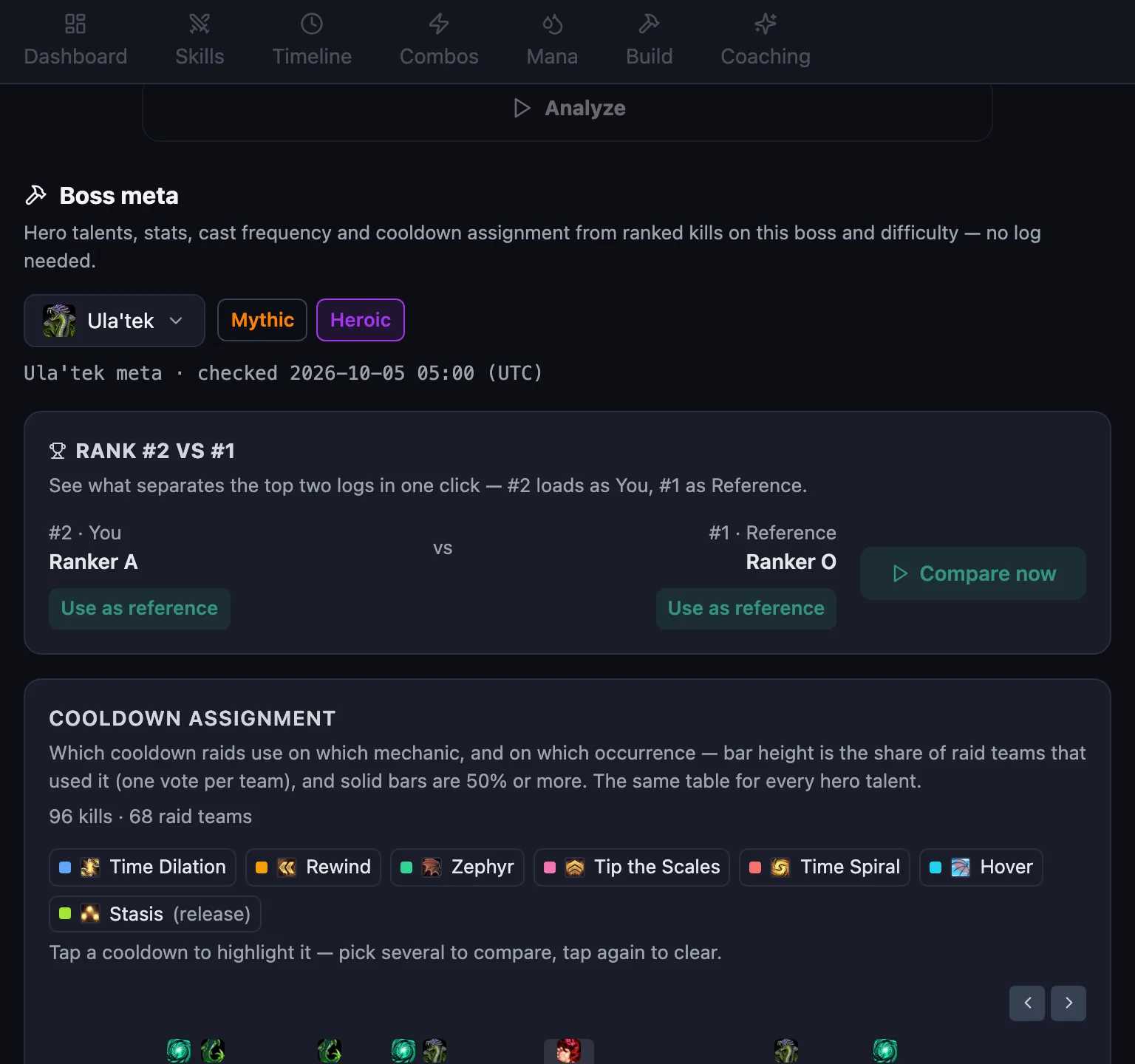
In the Boss meta section on the home screen, pick a boss and difficulty and press "Compare now" under "Rank #2 vs #1" to compare the top two logs straight away. "Use as reference" on the "Top logs in the selected group" card fills only the reference field — handy when you want your log against a top log.
2. Pick your spec
Choose your healer spec in the header. Both logs must contain a player of that spec. The choice is remembered in your browser.
Supported specs: Preservation Evoker · Discipline Priest · Holy Priest · Holy Paladin · Restoration Druid · Restoration Shaman · Mistweaver Monk.
3. Select characters
Press "Analyze" and the app lists the players of your spec found in each log. If the URL carried source=, that character is preselected. Continue with "Confirm & Analyze".
- If the two logs are different bosses or difficulties, the app says they cannot be compared — use logs from the same boss and difficulty.
- If your spec is missing but another healer spec appears in both logs, the app offers to switch to it.
4. Reading the tabs
Once the analysis is ready, move between the tabs at the top (mobile) or on the left (desktop). Every tab starts with the VS header — both characters, the boss and hero talents — with you on the left and the reference on the right. Hover a spell icon for its Wowhead tooltip.
-
Dashboard — key metrics (HPS · overheal · GCD usage · item level) side by side, the stats radar, fight info (raid composition · duration · deaths) and the biggest gap. "View this log as a raid" at the bottom of the fight info card opens the report in Why We Fail.
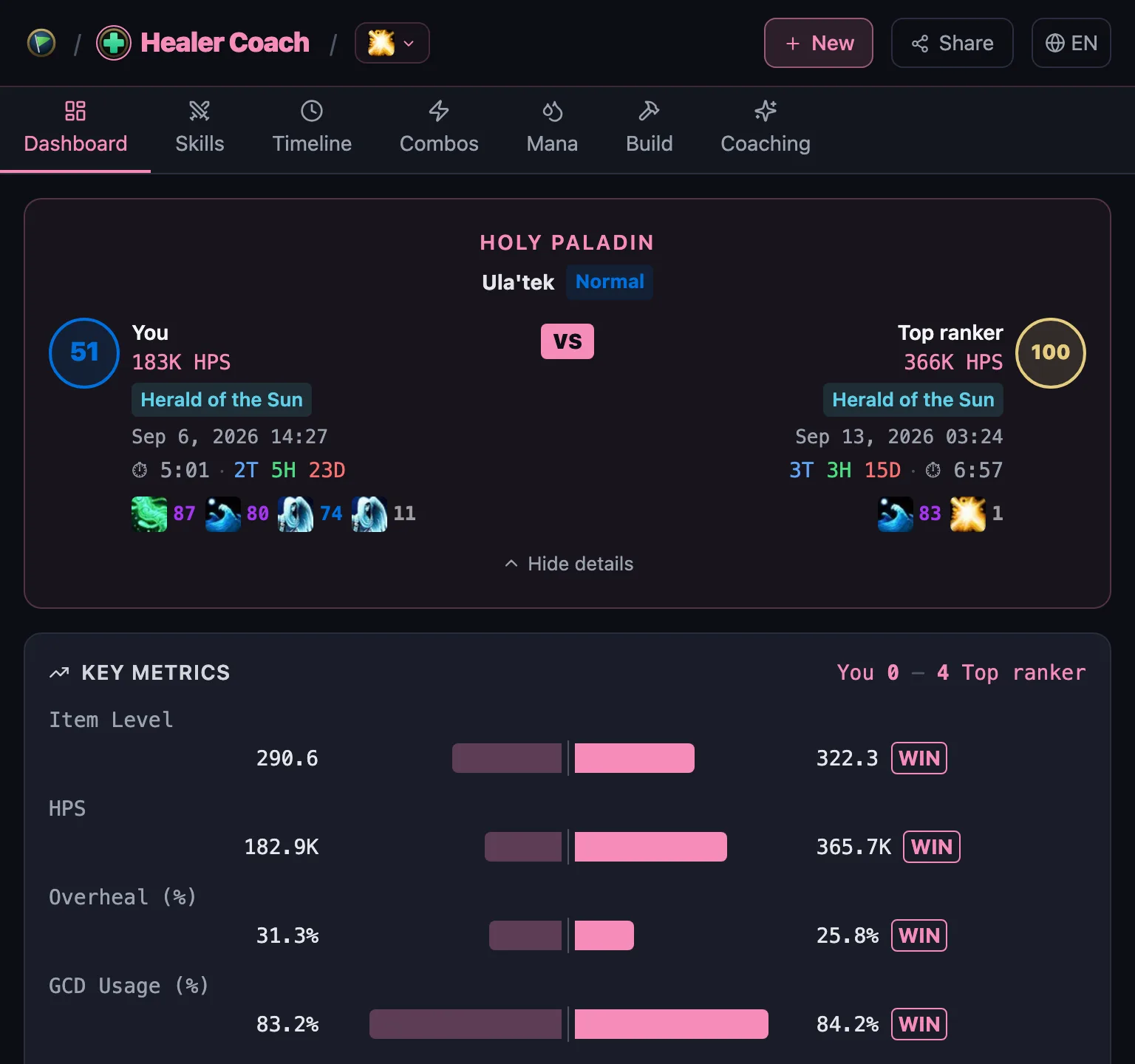
Dashboard tab · Holy Paladin · Ula'tek Normal -
Skills — HPS · overheal · casts · CPM per spell. Spells that both heal and damage are split.
-
Timeline — GCD activity along the fight (casts · idle gaps · cooldown recovery · holding), buff uptime, boss mechanics, major cooldown usage, external buffs received, external buffs you cast on allies, raid cooldowns and death recaps (the last 10 seconds). Zoom and scroll, or use "Show up to …" to trim the longer fight where the shorter one ended so both sides show the same window.
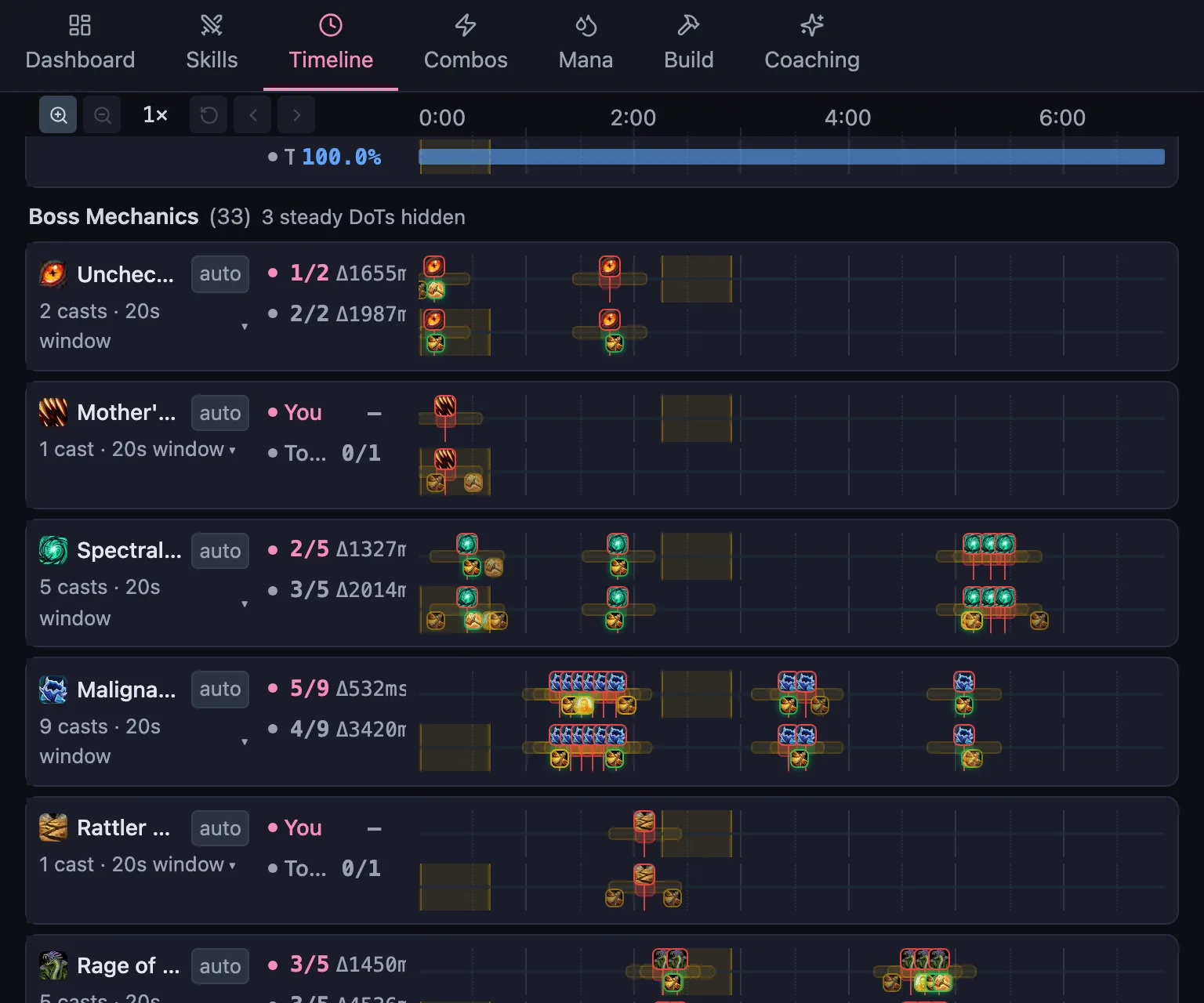
Timeline tab · boss mechanic lanes (green = cooldown ready · red = none) -
Combos — cooldown combos (sequences around your major cooldowns), top sequences (the reference's frequent sequences and how often you reproduce them), my patterns (sequences you use 3× more than the reference) and the opening sequence (first 10 casts). Some specs add cards for the window right after a specific spell.
-
Mana — the mana curve with mana stats (ending · lowest · average), external mana, consumables (pre-pot · in-combat potions) and a conservative/aggressive verdict against the reference.
-
Build — your stats and gear against the meta of ranked kills on this boss and difficulty: stat distribution · playstyle groups · you vs your group · cast frequency · buff uptime · cooldown assignment · suggested reference logs.
-
Coaching — rule-based coaching cards. Cards such as HoT coverage or stack management differ by spec, and Preservation Evokers also get Essence Burst and Echo cards. Everything is computed from predefined rules — no AI writes these at runtime.
5. Home: boss meta without a log
Pick a boss and difficulty on the home screen to see the meta extracted from ranked kills, no log needed — cooldown assignment, and per hero talent the stat distribution · playstyle groups · cast frequency · buff uptime · suggested reference logs. The data timestamp sits in the section header. The sample is ranked kill logs, with the same number drawn per healer spec.
6. Sharing · language · data
- Share — "Share" in the header copies a link. From an analysis it opens the same comparison on the same tab; from the home screen it is the site link.
- Language — switch it at the right end of the header. Spell names and tooltips follow.
- Data — the server fetches reports through the official Warcraft Logs API and caches them for up to 14 days. Icons and tooltips come from Wowhead. Details are in the privacy policy.
- If you see "Too many requests", wait a moment and retry — the Warcraft Logs quota is shared by everyone.
7. Moving to Why We Fail
The two marks at the left of the header switch products. Why We Fail looks at pull logs as a raid — who dies when, how raid cooldowns were used, and which kill logs used the same healer composition as yours. The fight info card on the Dashboard opens the report you are looking at as a raid in one click.